
Posting Your First Print on Demand Products to Amazon

Your hundred designs are sitting on your desktop. This is the step where they stop being files and turn into a real store: products on Amazon that anyone can find, order, and have shipped to them.
You'll do all of it through Printify, the supplier you connected during setup. Printify talks straight to Amazon, which means once a product is built inside Printify, it can go live on your Amazon store with a click.
If you don't have that batch of designs yet, that's the step right before this one, and you can see how to make them here.
Start with one product, your template
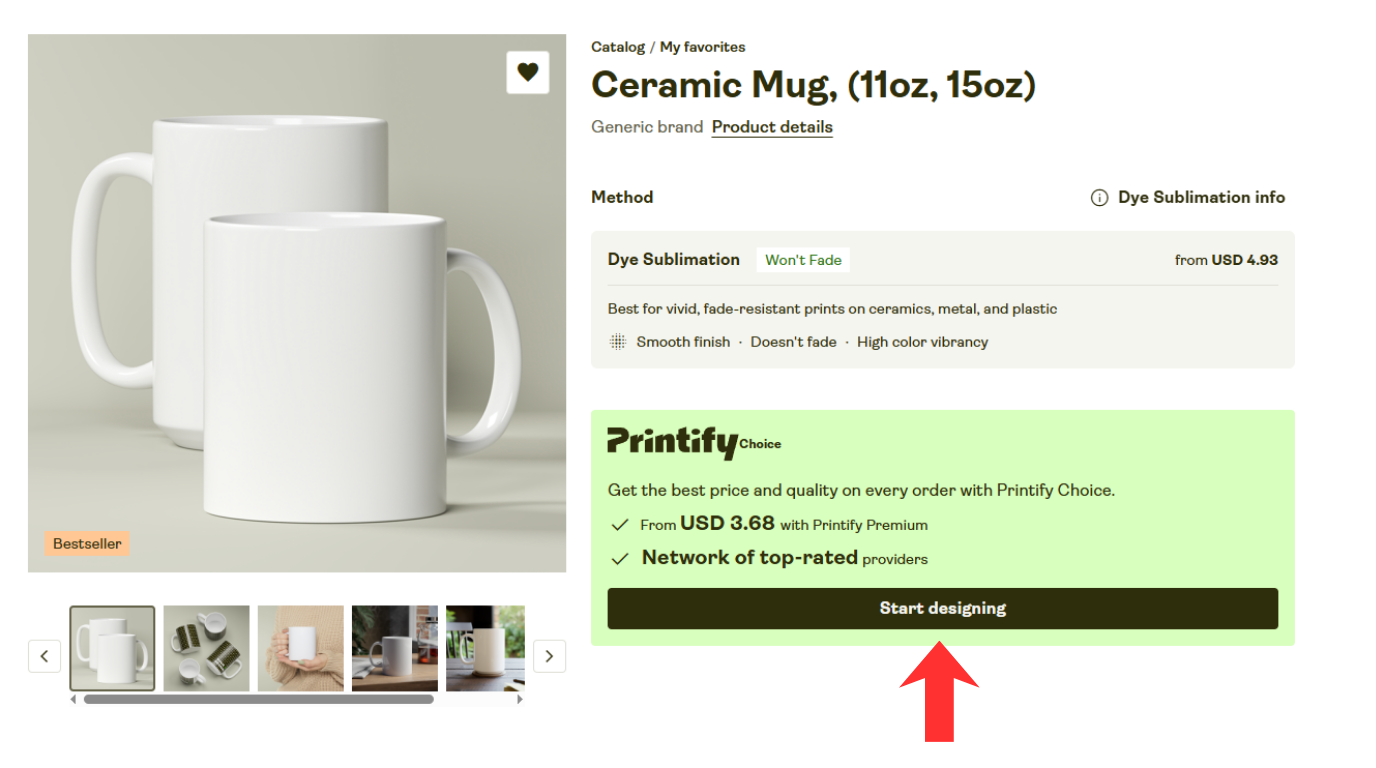
Open Printify and go to the Catalog. Find the product you settled on during setup, the mug, the shirt, whatever it was, and click Start Designing. Drop in the first design from your batch and place it on the product.
Now choose your mockups. A mockup is just a photo of your product with your design on it, the image a shopper sees on the Amazon listing. Printify makes these for you, so pick the ones that show the product clearly and look good.
Then fill in the listing: a title, a short description, and a few bullet points. Don't overthink any of it. A title like "Funny Hawaii Mug" is plenty. Plain words a shopper would actually type into the search bar beat anything clever.
⚖️ Volume, not junk. A plain title is fine, but every product still has to be one you'd be glad a customer opened. The breadth only works when the products underneath it are genuinely good.
This first product is doing two jobs at once. It's product number one, and it's the template every other product comes from.
Get one product right, and you've set the shape for all hundred.
Now turn that one into a hundred
You've got one product built and ninety-nine designs still waiting. There are two ways to close that gap. One is by hand, one runs almost on its own.
The hand way.
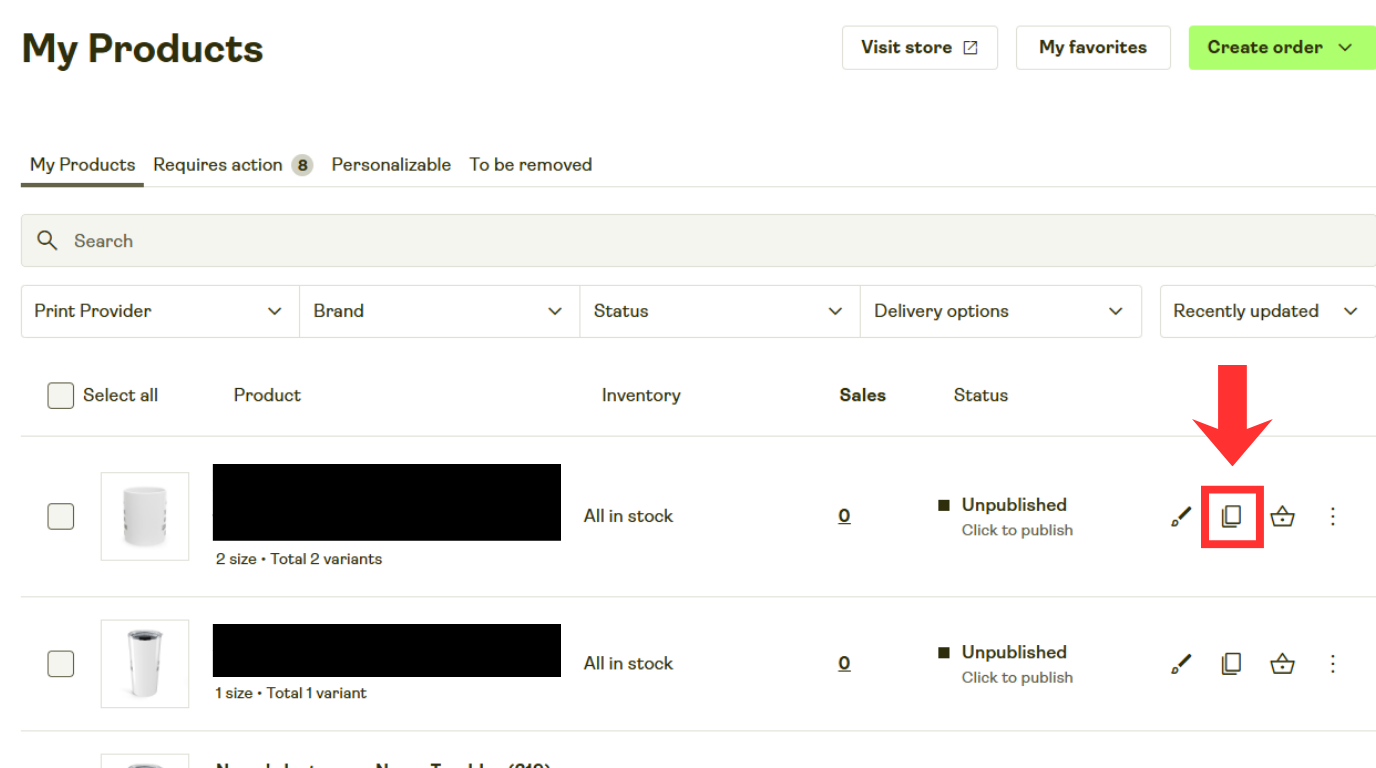
Printify lets you copy a product you've already made. Hit copy on your template and you get an exact duplicate, listing and all. Swap in the next design from your batch, change the title to match, and product two is done. Copy again for product three. It moves faster than it sounds once you settle into a rhythm, and for your first hundred it works perfectly well.
The fast way.
This is how the whole thing actually scales, and it runs on Printify's API. An API is just a way for one program to talk to another with no one clicking buttons. Printify gives you an API key, a kind of private password that lets a tool make changes to your store for you. You hand that key to the AI tool of your choice, tell it you have one product template, and let it swap the design and the title across every item on your list. Instead of copying products one by one, the whole batch gets built in one go.
I'll be straight with you: I don't have a ready-made tool to hand you for this part. You'd be using your own. But you don't need to code it yourself. You describe what you want, point an AI at your list and your designs, and let it put the small tool together for you. It's far less work than it sounds, and it's the difference between building a hundred products with your own hands and having them built while you go do something else.
Push the batch live
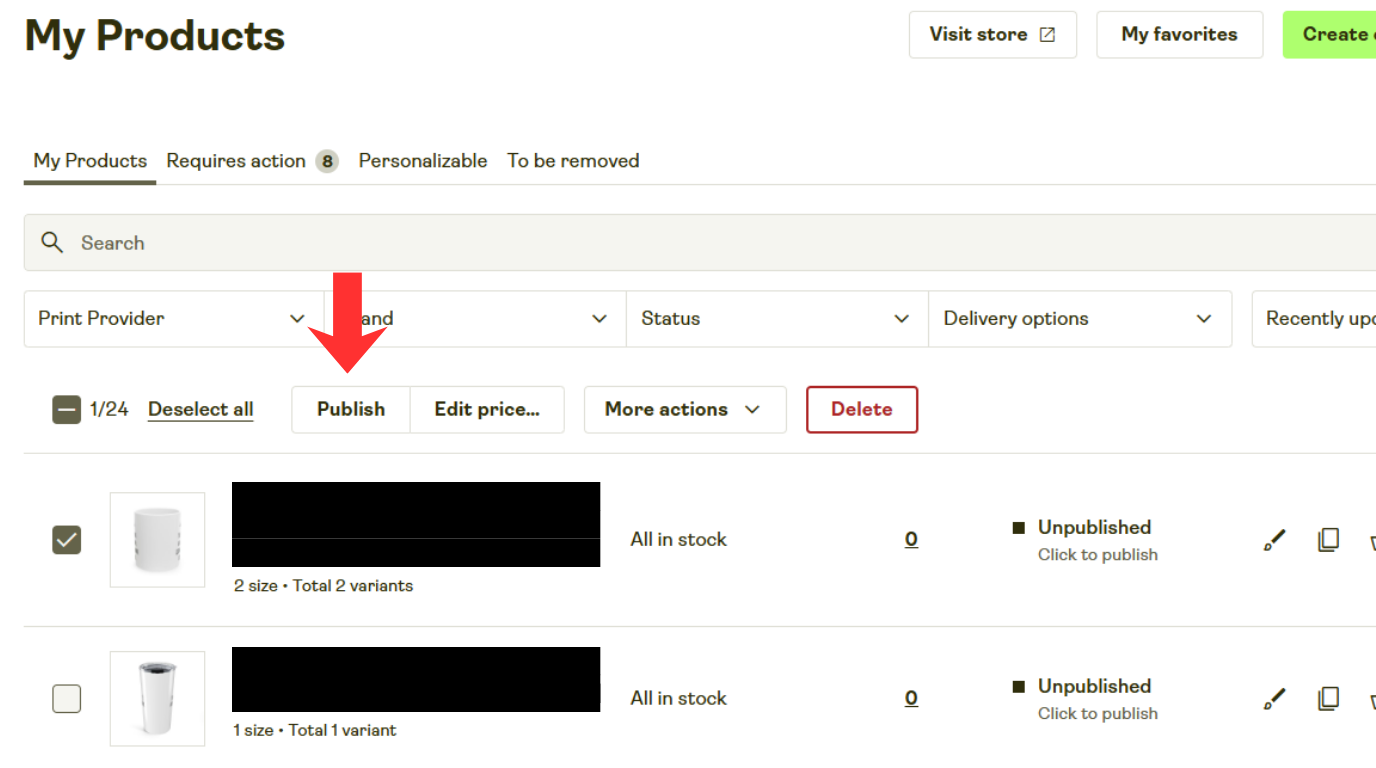
Once your products are built, publishing them is the easy part. In Printify, select the products you want to push, and hit Publish. Printify sends each one over to Amazon as a real listing.
Give it a little time to process, and your products appear on Amazon, ready to buy. Someone can land on one of your listings, place an order, and Printify prints it and ships it straight to them. You don't touch a thing.
That's your first batch. A hundred products, live and for sale.
A hundred today, and that's the floor
Look at what just happened. One design became a hundred products, and all of them are live on Amazon. Now hold that number up next to what the same system can do.
A hundred products came from one design swapped across one list. Pick a hundred different niches, one product each, and you've got a hundred products. Put ten products across a thousand niches, and you're at ten thousand. Same handful of moves, just a longer list feeding them.
And it speeds up as it grows. The more you post, the more you notice where the system drags, and the more you smooth those parts out. The hand-copying gives way to the API. The afternoon of work shrinks to minutes.
This first batch is the slow one. Every batch after it is quicker.
A few common questions
How long until my product shows up on Amazon?
Usually a short wait after you publish while Amazon processes the new listing, not instant. Give it a bit, then check your Amazon account.
Do I have to publish them one at a time?
No. You can select a whole group in Printify and publish them together.
What if I can't build the API tool myself?
You don't write it by hand. You tell an AI what you want and let it build the small tool. Until then, the copy-by-hand route gets the job done.
Do plain titles really work?
Yes. Shoppers search in plain words, so a clear, simple title usually does more than a clever one.
Go hit publish,
Nick T


