Designing Your First Print on Demand Products
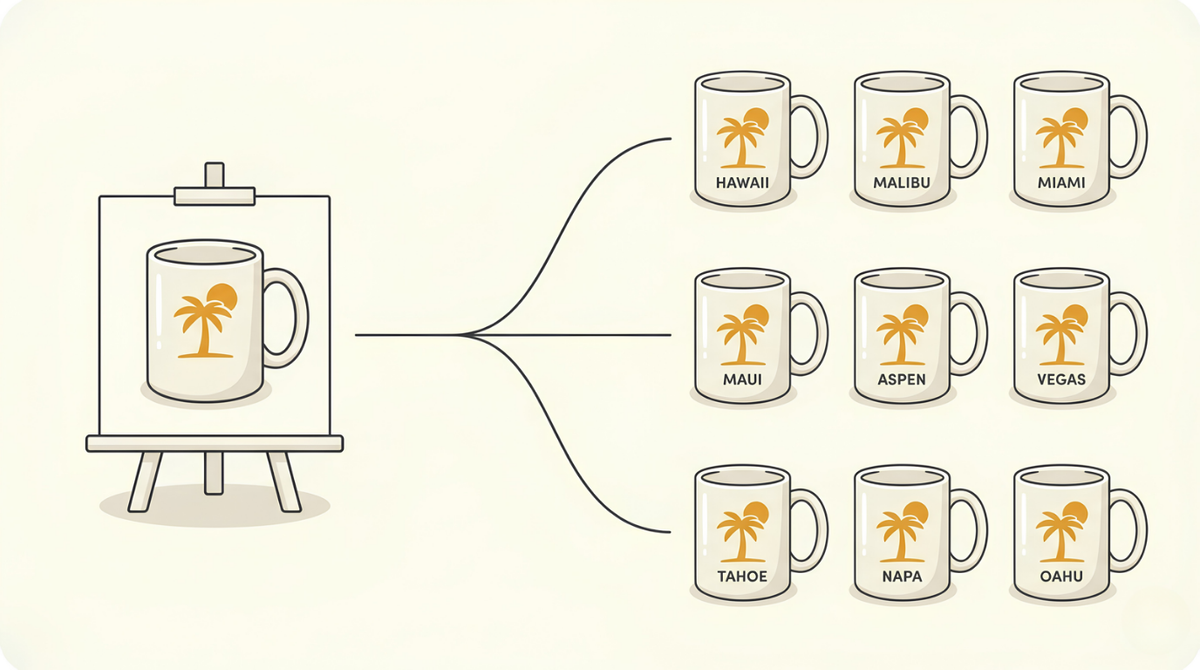
Your first product comes down to four moves, done once. You find a design style that's already selling, make sure the idea is yours to use, draw one master version by hand, then let a free tool spin that one design into a hundred. Only the drawing is really you.
By the end of this you'll have a full batch sitting on your desktop, ready to post.
A hundred finished products, from one design.
If your accounts are open and you've got your list of swap words saved, you're ready to start. If not, you might want to check out this post first.
Find what's already selling
Start by finding demand, not inventing it. Somewhere on a marketplace right now, a style of design is selling steadily. Your whole job in this step is to spot which one, then build near it.
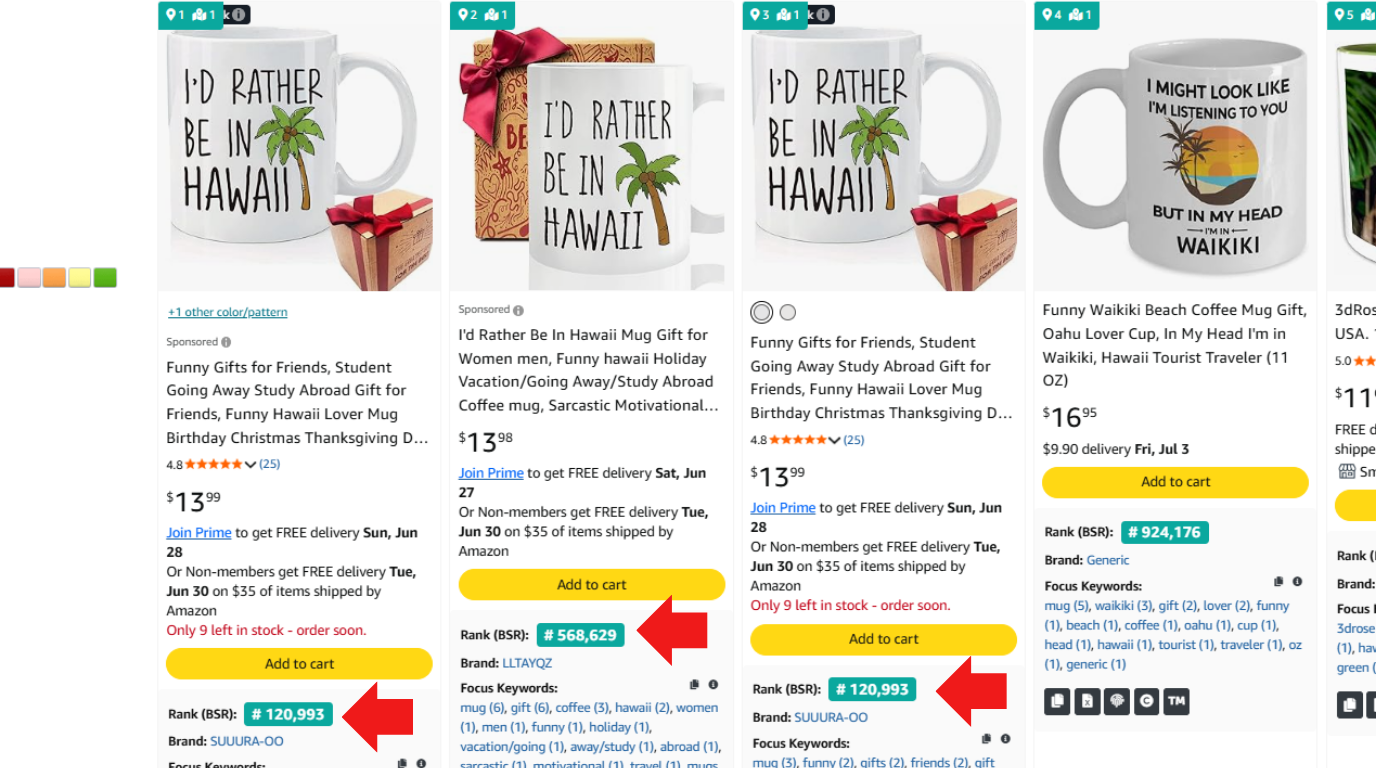
Open any marketplace and search a plain term. "Hawaii mug." "Funny travel mug." "Beach lover gift." Simple words a real shopper would actually type. Then read what the page is quietly telling you.
On Amazon, the signal is the Best Sellers Rank. BSR is a number Amazon puts on almost every product, a rank of how well it sells against everything else in its category. The lower the number, the more it's selling. So a low BSR on a print on demand design is a green light: that style is moving. Some listings also show a "bought in the past month" count near the title, which tells you the same thing even more plainly.
Etsy shows it a different way. On a listing you'll see lines like "20+ sold in the past week" or "In 20+ carts" That's live demand, happening while you look.
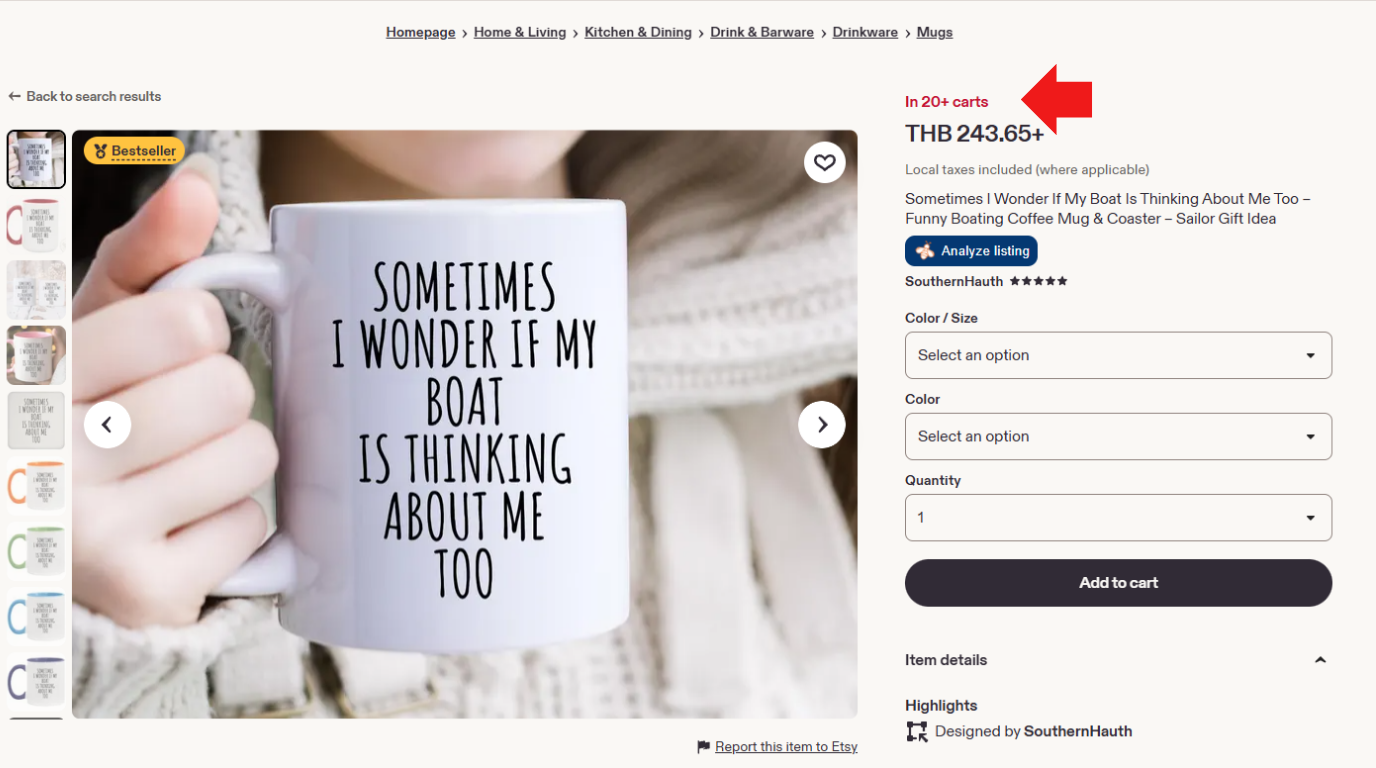
Any marketplace works, and so does any product. The one thing you're checking for is real, current demand before you spend time building. Find a style that clears that bar, then pick an idea shaped around one word you can swap, the kind of list you put together during the one-time setup.
Make sure the idea is yours to use
Before you design a thing, make sure you're clear to sell it. Two quick checks: the artwork and the words.
The artwork is copyright. If the style you liked leans on a specific protected image, a cartoon character, a brand's logo, a particular piece of art, don't build on that art. Take the energy and the idea, then make your own version from a blank page.
The words are trademark. A trademark is a word or phrase a company has legally claimed for its products, so nobody else can sell under it. You ran your swap words through the USPTO's free TESS tool during setup, so do the same for the phrase you're building the design around. Search "I'd rather be in" and make sure nothing comes back tied to the kind of product you're selling. TESS covers the US market, so if you sell on another country's Amazon, check that country's trademark office instead.
⚖️ Not legal advice. A clear TESS search lowers your risk, it doesn't guarantee you're safe. If a phrase matters or you're unsure, do your own research, and when in doubt, pick a different phrase.
Design the one master, by hand
This is the only part that's really you, so it's worth doing well. Everything you post multiplies out of this single design, so a better master means a hundred better products.
First, get the exact print size. Every product has a print area, the space your design is allowed to fill, and it's different on every item. In Printify, open the product you picked and click Start Designing. The print area size shows on the left. Write it down.
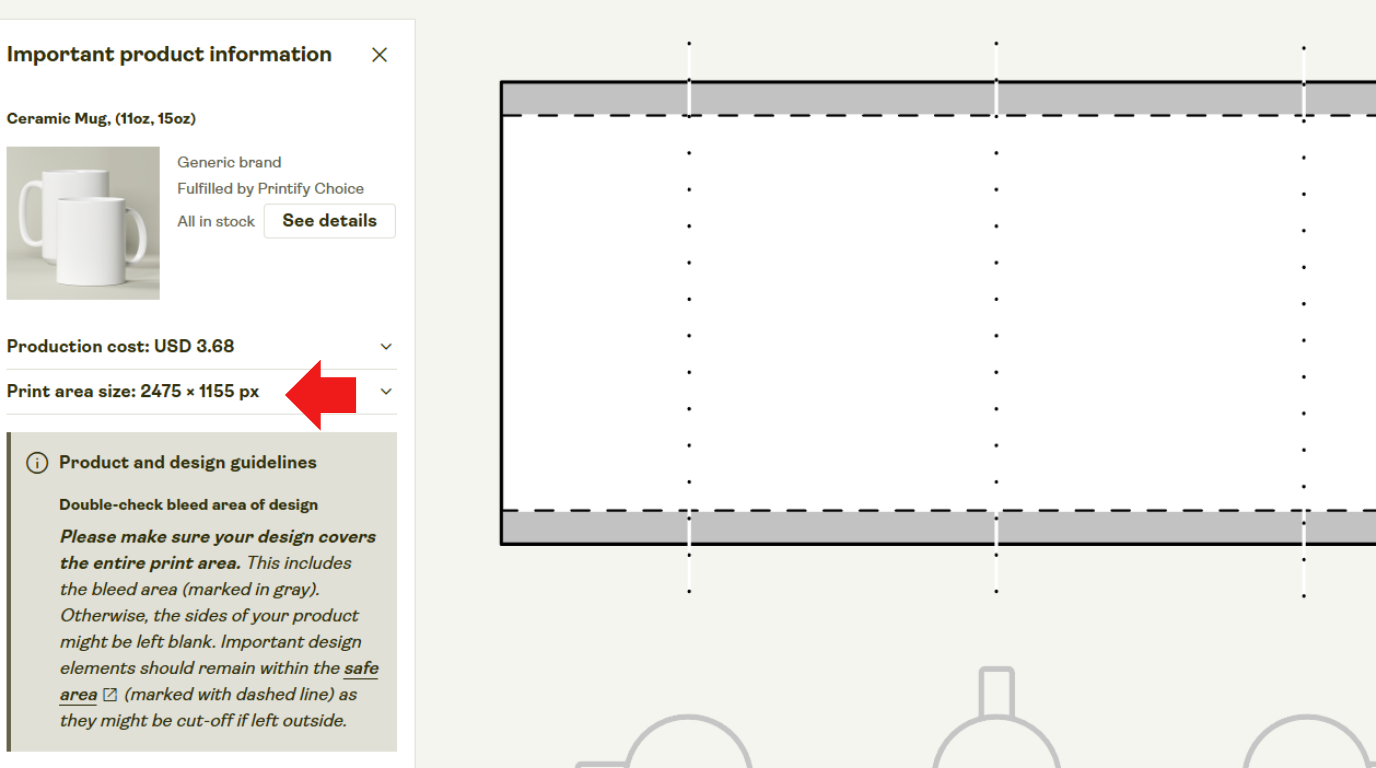
Now open Canva and create a new design at that exact custom size. Build your version of what you saw selling: same kind of appeal, same energy, your own artwork and your own wording. Take inspiration, never lift. Keep the word you'll swap as its own separate piece of text, sitting on its own.
💡 One detail that matters. If the swap word is fused into your artwork, the bulk tool can't grab it on its own, and the whole multiply step falls apart. Leaving it as its own text layer is what makes the next step work.
Turn one design into a hundred
Here's where one design quietly becomes a hundred. Canva has a built-in tool called Bulk Create, and it does the multiplying for you.
Open it from Apps in the bottom left, then find Bulk Create. Paste in your list of swap words, the hundred or so places you saved during setup. Then right-click the word on your design, the one you set as its own text, click Connect data, and point it at your list. Hit Generate.
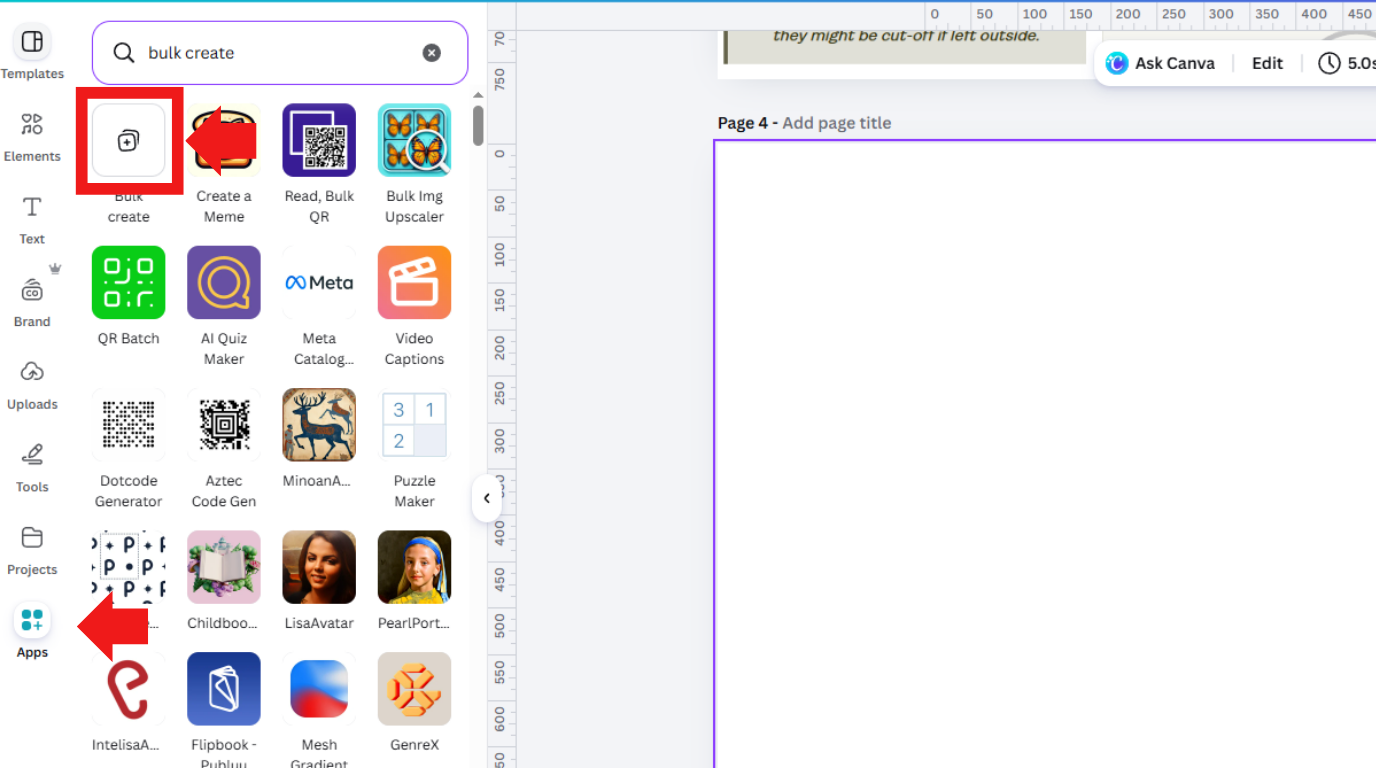
In a few seconds Canva hands back a version of your design for every place on your list, each one as clean as the master. Save them all to your computer with a transparent background, so each design sits on the product instead of inside a white box.
That's your first batch.
A hundred finished products, built from one design, sitting ready on your desktop.
What you've actually got
Look back at the afternoon. You found a style that sells, cleared it to use, drew one master, and ran one bulk job. That's it. A hundred products, and the only hand-made piece was a single design.
From here the work stops being by hand. The hundred designs you just saved are the raw material the rest of the system feeds on. You made the one thing only a person can make. The machine takes it from here.
A few common questions
What counts as a good BSR?
There's no single magic number, it only means something against other products in the same category. Lower is selling more, so compare similar listings and look for the low ones, not a fixed target.
What if my phrase shows up on TESS?
Pick a different one. There are endless phrases that work, so there's no reason to build around a claimed one.
Does my design have to be totally original?
The style and idea can echo what's already selling, that's the point of researching first. The actual artwork and wording have to be your own, never lifted from another listing.
Do I need Canva Pro for this?
Yes. Both Bulk Create and exporting with a transparent background sit behind Pro, which is why setup pointed you to it rather than the free tier.
Now go make your first one,
Nick T


